
Tremolo Plugin: What to Look For, and a Free One to Start With
Posted by Jon Cusack on 9th Oct 2026
|
The 30-second version
|
Search "best tremolo plugin" and you get ten affiliate listicles ranking the same thirteen products. I am not going to write an eleventh, partly because almost every one of those pages is written by someone paid per click and partly because I build a competing product, which disqualifies me from ranking anybody.
So here is the honest version instead. What the effect actually gives you in software, what separates a good one from a bad one, what you probably already own, and where mine fits.
What does a tremolo plugin do that a pedal cannot?
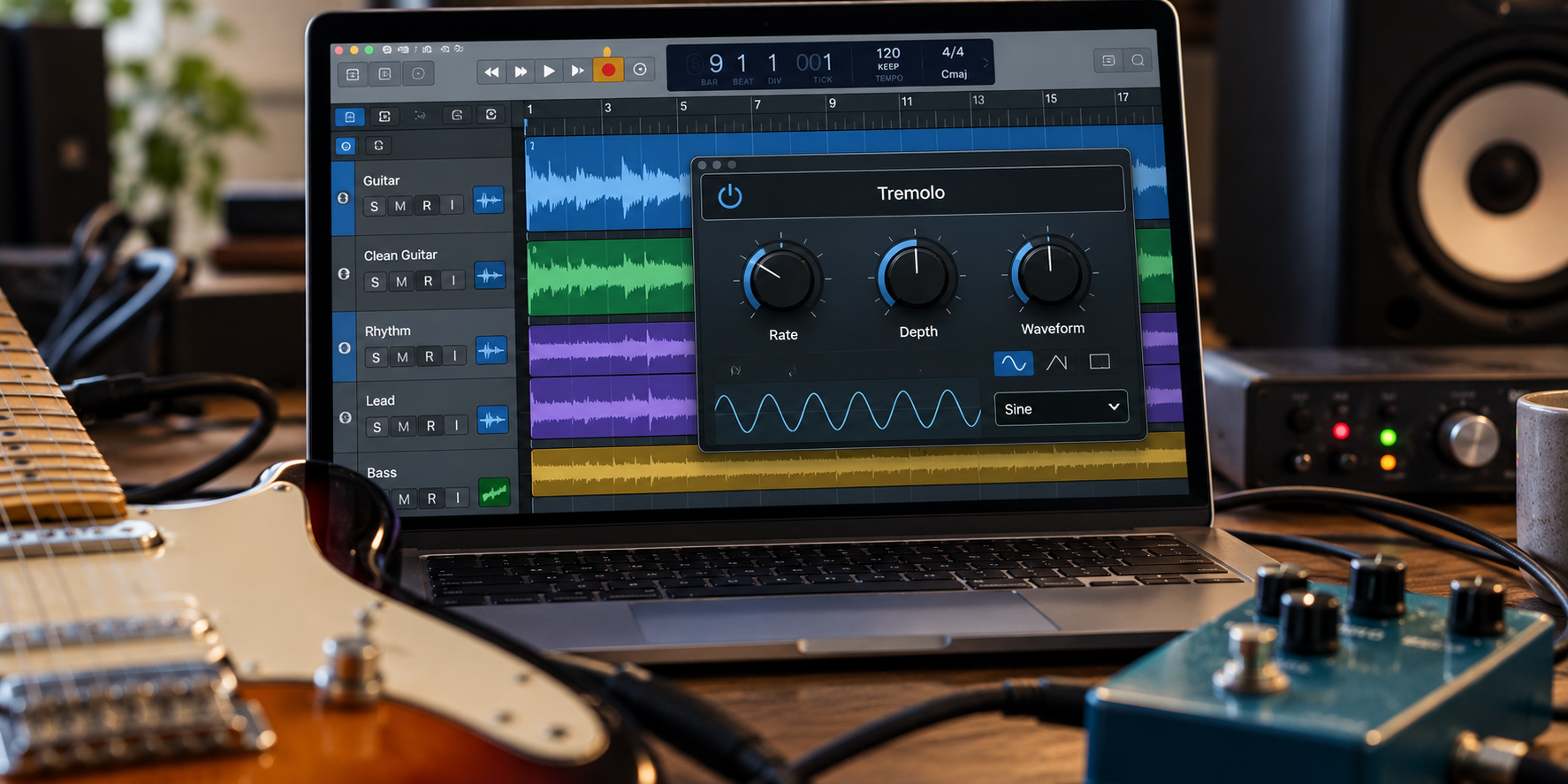
Three things, and they are the reason this exists as software at all. A pedal gives you one setting at a time; a plugin gives you a setting per bar if you want one.
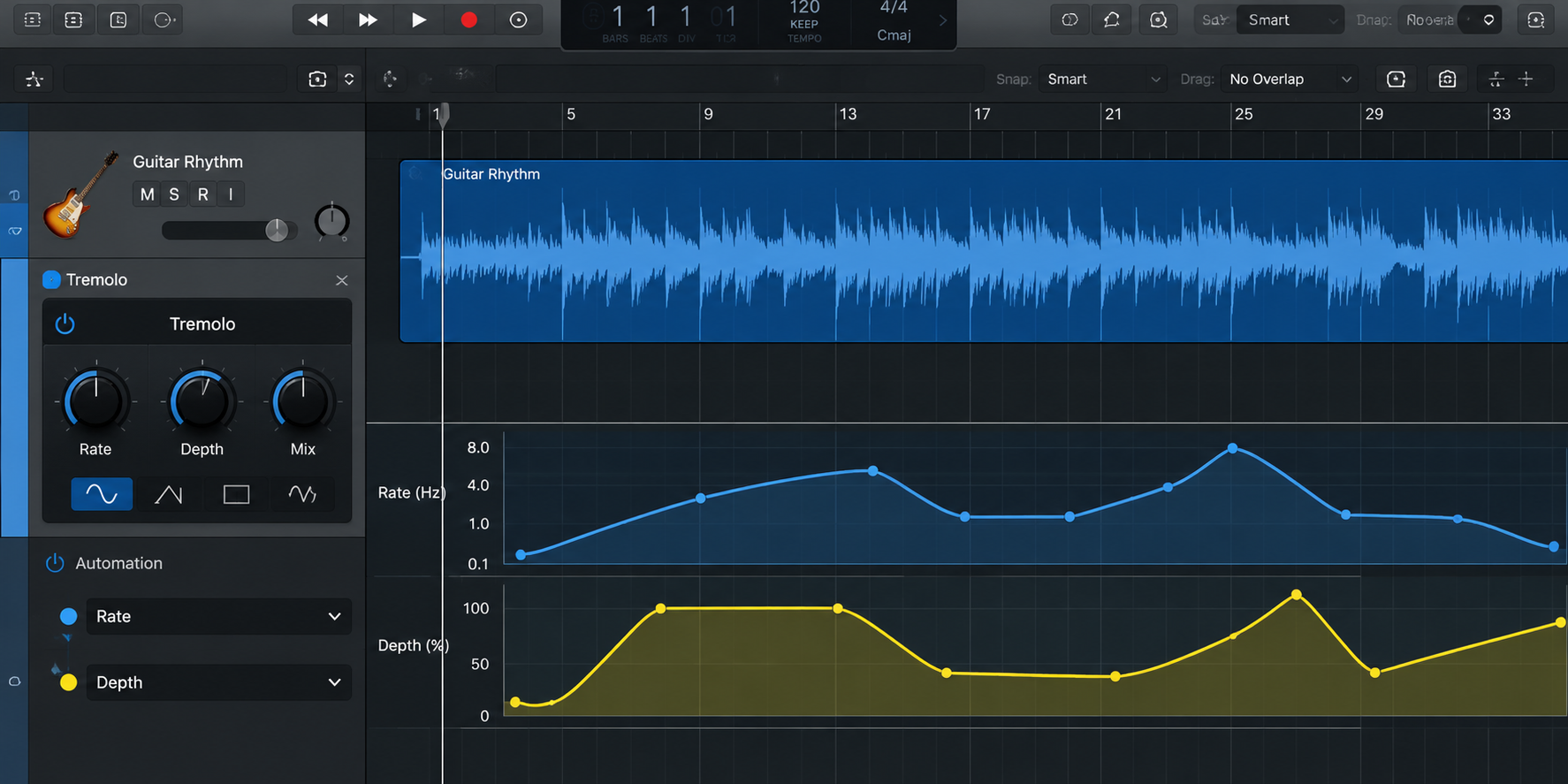
- DAW automation: you can draw rate and depth changes across the timeline, so the pulse speeds up into a chorus and backs off under a vocal. No footswitch does that.
- Total recall: reopen the session in two years and the settings are exactly where you left them.
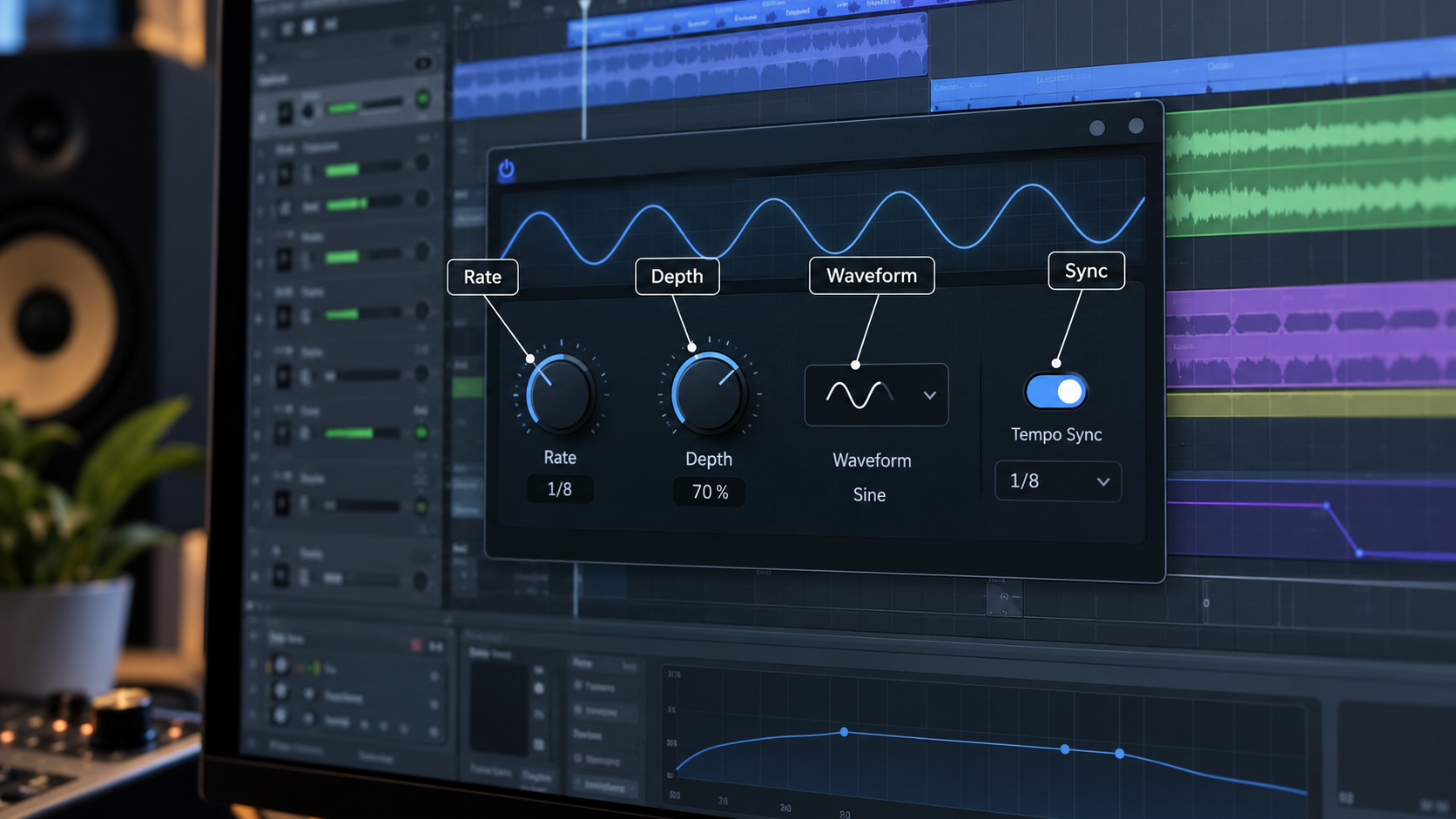
- Host tempo sync: the pulse locks to the project tempo and stays locked when you change it.
Think of the pedal as a performance and the plugin as an edit. One captures a moment; the other lets you keep revising it.
Running the tremolo effect in DAW software rather than hardware changes the workflow, not the physics. The underlying process is low-frequency amplitude modulation either way.
The Claire Trevor School of the Arts defines it in a single line: "low-frequency amplitude modulation is called tremolo".
For the circuit side of that, I covered the types of tremolo separately.
What should you look for in a tremolo plugin?
Judge by capability, not by the review score. These six criteria separate a usable one from a toy, and they apply to free and paid alike.
|
What to check |
Why it matters |
Red flag |
|---|---|---|
|
Host tempo sync |
The pulse must lock to the grid, not drift against it |
Rate in Hz only, no note values |
|
Note divisions |
Quarters, eighths, dotted and triplets cover real parts |
Only straight divisions offered |
|
Waveform choice |
Sine for swell, square for chop, ramp for reverse |
One fixed shape |
|
Stereo handling |
True stereo, or the option to pan rather than pulse |
Mono only, summed output |
|
Automation of rate and depth |
Where software beats hardware outright |
Fixed parameters, no host control |
|
Format and OS coverage |
It has to load in your actual rig |
VST2 only, or one platform |
My own opinion, stated plainly, and you can hold it against my product as readily as anyone else's: tempo sync and waveform choice decide whether you reach for it twice. Everything else is comfort.
One more criterion that nobody lists. Check whether the developer still updates it, because a plugin abandoned three OS versions ago will stop loading and take your session with it.
Which formats do you actually need: VST3, AU or AAX?
Fewer than the marketing suggests. Three formats cover essentially every desktop setup, and most developers ship all three in one installer.
Steinberg, which created the standard, defines it directly: "Virtual Studio Technology (VST) is an audio plug-in software interface that facilitates the integration of software synthesizers and effects in digital audio workstations". VST3 is the current version and the one to prefer.
Audio Units is Apple's equivalent, and Apple's own framework documentation describes hosting version 2 or version 3 audio units, with version 3 extensions running on macOS, iOS and tvOS.
AAX is Avid's format, and it exists for one reason: Pro Tools will not load anything else. If Pro Tools is your DAW, AAX support is not a nice extra, it is the whole question.
The practical rule: on Mac a tremolo VST3 or an AU will load, on Windows you want VST3, and in Pro Tools you want AAX. If a tremolo VST offers only the old VST2 version in 2026, treat that as a sign it is no longer maintained.
Do you already have a tremolo effect in your DAW?
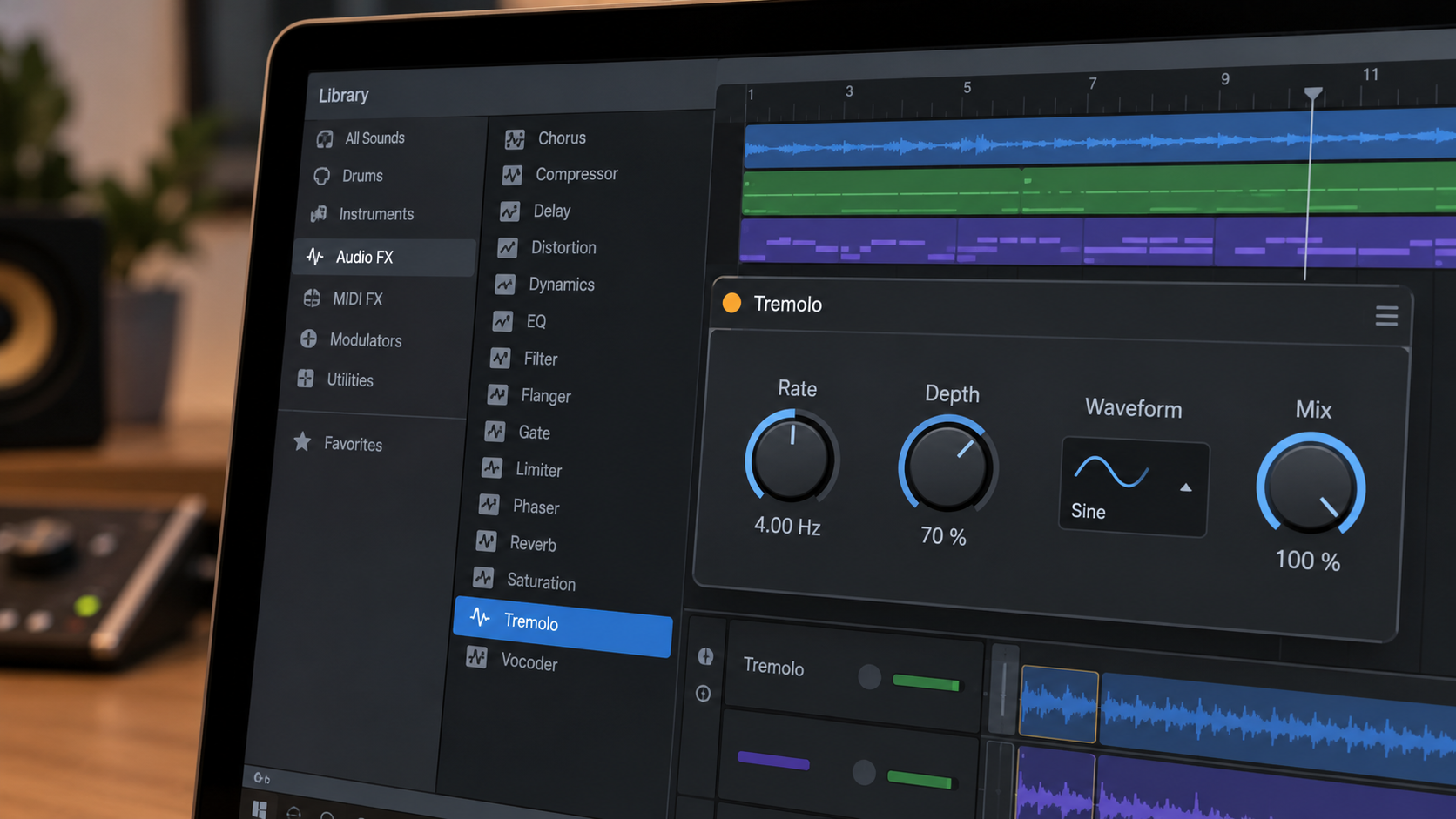
Probably, and checking costs nothing. Two of the most used hosts ship one that covers most jobs.
Ableton Live calls its device Auto Pan-Tremolo, and the official manual is explicit about the second mode: "In Tremolo mode, a single LFO modulates the signal's amplitude to create variation in volume".
It offers nine LFO shapes and a rate you can set in hertz or sync to the song tempo. That covers most jobs on its own.
Logic Pro ships a Tremolo effect too, and Apple's documentation describes its rate control as setting the frequency of the LFO, with a sync button that swaps hertz for musical note values.
Pro Tools users have less built in, which is part of why third-party AAX support matters more in that world than elsewhere.
Here is the uncomfortable part for someone in my position. If you own Live or Logic and you only need a pulse that locks to the grid, you are already finished, and the honest answer to your search is "open the one you have".
How do you sync a tremolo plugin to host tempo?
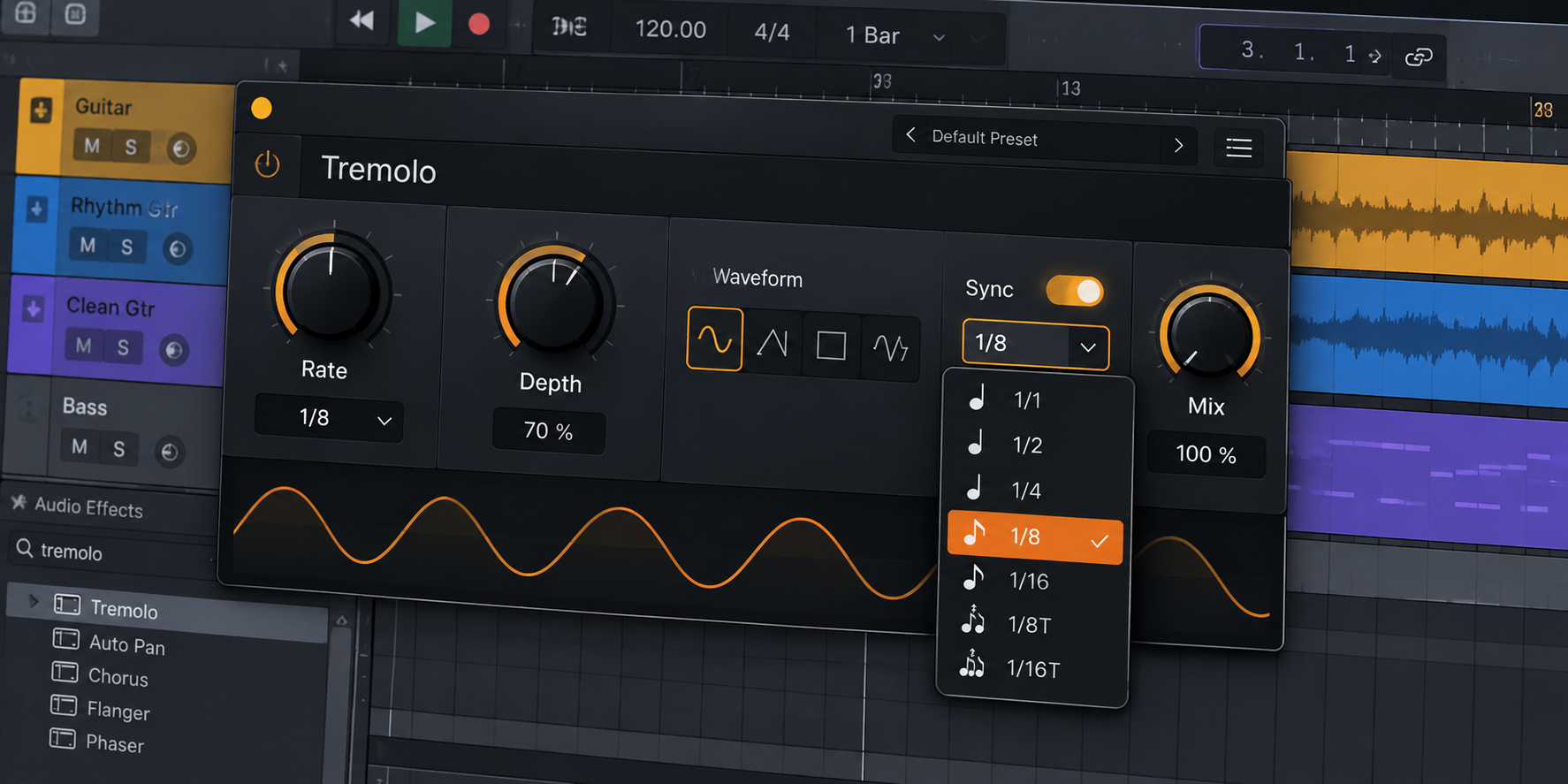
Set the sync first, the division second, and the depth last. Four steps cover it in any host:
- Enable tempo sync. Look for a button marked Sync, Tempo, or a note icon. Until this is on, the rate is running in hertz and will drift against the grid.
- Pick a note division. Quarter notes for a slow obvious throb, eighths for motion, sixteenths for chop. Start with eighths.
- Set depth by ear against the mix, not solo. Depth that sounds right alone is almost always too deep in context.
- Automate what moves. If the part changes across the arrangement, draw the rate or depth change rather than committing to an average.
A caveat on step one. Tempo sync follows your project tempo, so if the session has a tempo map or a live-recorded drift, the pulse follows the map rather than the performance. That is usually what you want and occasionally not.
If you would rather play the tempo in than type it, that is what a tap tempo tremolo plugin is for, and the thinking behind divide settings is the same as on hardware, which I covered in the guide to tap-tempo tremolo.
Five moves that only work in software
These are the things worth owning a plugin for, rather than just recording the pedal. Each one is impossible or impractical with hardware alone.
- Ramp the rate into a section. Draw an automation curve so the pulse accelerates across four bars into a chorus. On hardware this needs a third hand.
- Chop the wet signal only. Put it on a reverb or delay return rather than the track, so the tail pulses while the dry part stays still.
- Pulse in one ear, not both. Many plugins offer a phase control between channels, which turns a mono throb into a stereo sweep without touching a panner.
- Print one take, keep one live. Commit a recorded version to audio for the sound, and keep a second instance live for the mix pass.
- Gate a pad into a rhythm part. A square wave at sixteenth notes turns a sustained keyboard into something percussive, which is a different instrument rather than an effect.
A tremolo plugin for guitar earns its place fastest on the first two of those. Rate ramps and wet-only chop are the moves that make a doubled rhythm part sound arranged rather than layered.
Honest note: none of this is exotic, and all five work in a stock device. You do not need to buy anything to try them tonight.
Where does a free tremolo plugin fit?
Free is a perfectly good starting point in this category, because the effect is simple enough that the expensive versions are buying character rather than capability.
Mine is one of them. The Tap-A-Whirl Plugin is a free download, built to put the sound of the tap tempo pedal inside a DAW rather than to upsell you into anything.
The honest caveat on anything free, mine included: support and update cadence are the risk, not sound quality. Before you build a session around any free plugin, check when it was last updated.
If you end up wanting the hardware version afterwards, the Tap-a-Whirl V4 is where that sound started, and the rest of the modulation range sits alongside it.
Frequently asked questions
Is a tremolo plugin as good as a pedal?
For recording, usually better, because automation and recall solve problems hardware cannot. For playing live, the pedal wins on feel and on not needing a laptop. The audio difference between a well-made plugin and a well-made pedal is far smaller than the workflow difference, which is where you should actually make the decision.
What is the best tremolo plugin?
There is no single answer, and anyone who gives you one is either guessing or being paid. Judge candidates against the six criteria above, starting with tempo sync and waveform choice. Then check the format coverage against your DAW. A plugin that scores well on those and loads reliably in your rig is the best one for you.
Can I get an analog tremolo plugin that sounds like a real amp?
Analog-modelled versions exist and some are convincing, but the phrase is doing marketing work. What you are hearing is the waveform shape and the way the circuit rounds the edges of each pulse, both of which software can reproduce closely. If the model matters to you, compare it against a real amp circuit rather than against another plugin.
Does a tremolo plugin work on vocals and drums?
Yes, and it behaves exactly as it does on guitar, since the effect does not care what produced the signal. Keep depth lower on bass and on full drum buses, where deep settings make the low end appear and disappear in a way that reads as unstable. On vocals, slow and shallow is almost always the right starting point.
Where should it go in the plugin chain?
After distortion or amp sim and before reverb and delay, which mirrors a pedalboard. Placed before a distortion stage the pulse gets flattened, because the drive compresses the quiet half of each cycle back toward the loud part. Some engineers put it last on a send for a dramatic chop on the wet signal only.
Why does my tremolo sound out of time?
Nine times out of ten the sync button is off and the rate is running in hertz. Check that first. If sync is on and it still feels wrong, you are probably on the wrong note division rather than the wrong rate, so try halving or doubling it before touching anything else.
The bottom line on tremolo plugins
Open your DAW and look at what you already have. If Live or Logic covers the part, you are done, and nothing on a review site changes that.
If you need more, judge by tempo sync, note divisions, waveform choice, stereo, automation and format coverage, in that order. Then try a free one before you spend, because in this category the gap between free and expensive is character rather than capability.
Honest limitation: no plugin reproduces the interaction between a real amp's power section and a speaker, so a recorded pedal through a real amp still sounds like a recorded pedal through a real amp. That is a different thing, not a better one.